Scanner for funding and price spread arbitrage on futures
Automatically finds profitable futures–futures and futures–spot arbitrage opportunities in real time. Works with price spreads and differences in funding rates. Available in the browser, Telegram Mini App, and regular bot.
Zero-delay data - 24/7 monitoring
Price spread + funding arbitrage
Futures-futures + futures-spot arbitrage opportunities
Browser version + Telegram Mini App + Telegram bot
Order books, convergence history, and your profit chart
Entry and exit alerts + notifications about new arbitrage opportunities
What capabilities does the scanner offer
All types of futures arbitrage in one tool: price spread arbitrage, funding arbitrage, futures-futures arbitrage, and futures-spot arbitrage.
For every arbitrage opportunity, the scanner takes into account both the price spread and the funding spread, because you cannot arbitrage one without considering the other
Price spread arbitrage
The scanner continuously looks for price discrepancies between exchanges for the same coin. It shows ready-to-trade arbitrage opportunities in the browser, Telegram Mini App, and Telegram bot.
Futures-futures:
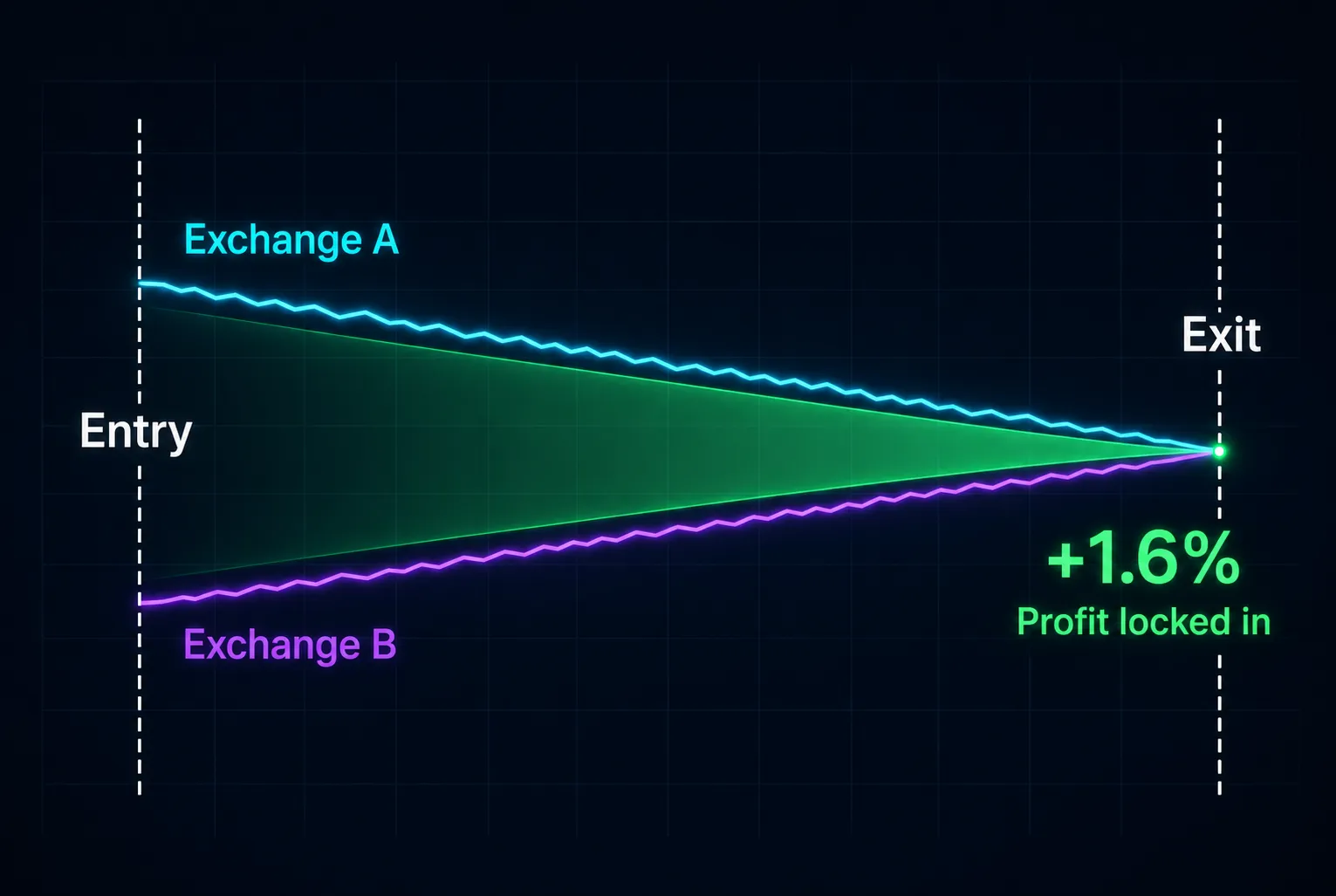
When the same asset trades at different prices on different exchanges, open a LONG where the price is lower and a SHORT where the price is higher. When the price difference (price spread) narrows, you make a profit.
Futures-spot:
When the same asset trades at different prices on different exchanges, open a SHORT where the price is higher and buy the coin on spot where the price is lower. When the price difference (price spread) narrows, you make a profit.
Funding rate arbitrage
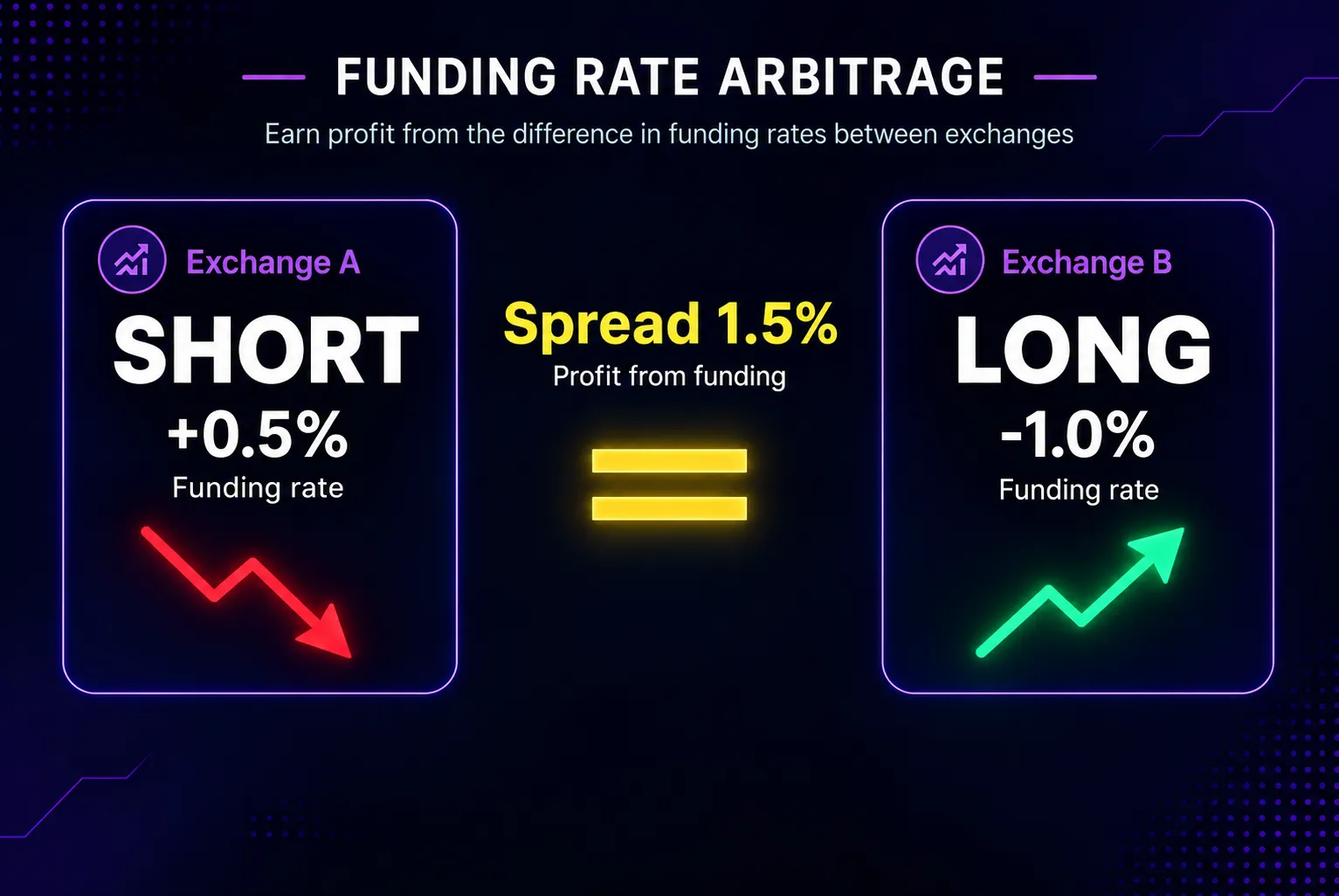
Funding is a mechanism of periodic payments between LONG and SHORT positions on perpetual futures contracts on exchanges. Its main purpose is to keep the futures price close to the spot price. The funding rate sign indicates which side pays and which side receives.
Positive funding → longs pay shorts
Negative funding → shorts pay longs
The scanner looks for differences in funding rates and shows opportunities where you can potentially earn by holding positions.
Futures-futures:
Open LONG and SHORT positions on different exchanges and earn from the difference in funding rates.
Futures-spot:
Open a SHORT position on perpetual futures and buy the coin on spot to hedge the position, earning from the funding rate.
In-depth analysis of arbitrage opportunities and position management
Analytical tools you won't find in standard scanners
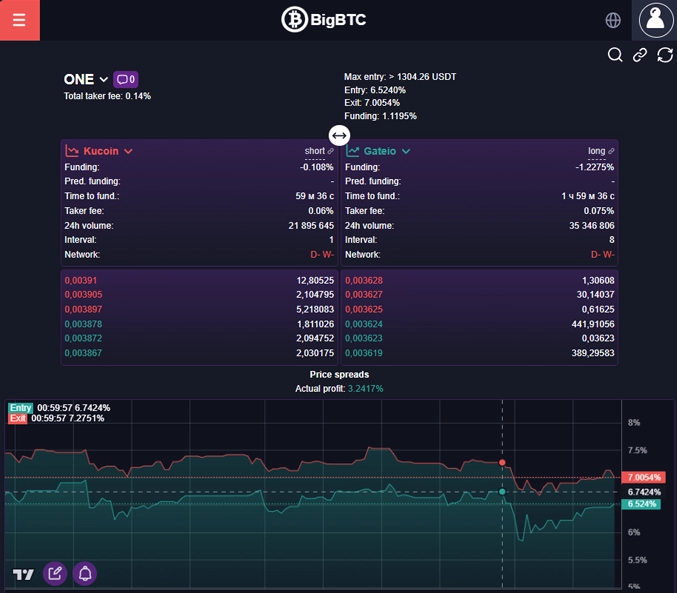
Exchange order books, current price spreads and current profit
In the browser version and Telegram Mini App, evaluate an arbitrage opportunity using real-time:
- exchange order books (learn more about why this is useful here)
- current price spreads
You can enter your position entry data - this will help you track your current profit from the price spread in real time and see it directly on the chart
Price spread history
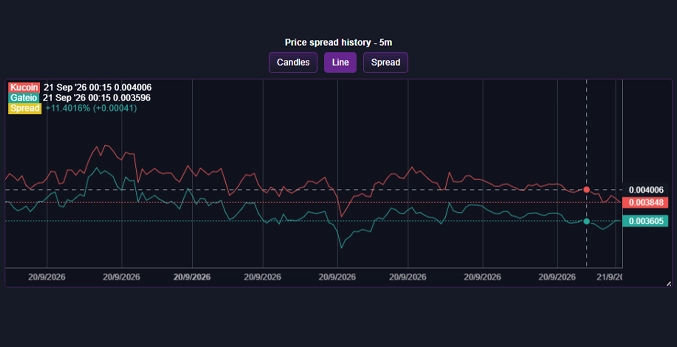
Before entering an arbitrage opportunity, it is important to understand whether prices for this pair have converged before and how often this has happened.
Price convergence history shows whether prices have returned to each other in the past. If the spread has already converged repeatedly, the likelihood of successful arbitrage is significantly higher. If prices have almost never converged, the risk that the spread will persist increases.
Presented as candles, a price chart and a spread chart
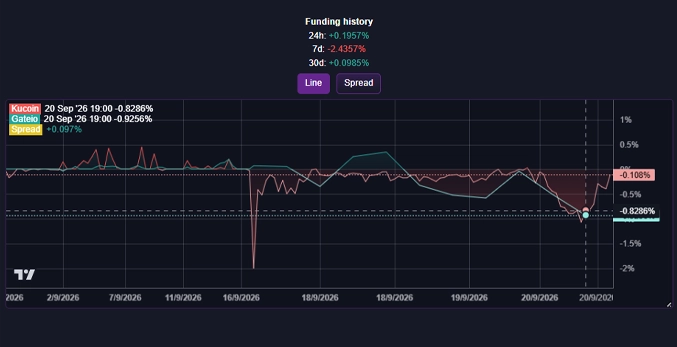
Funding payment history and accumulated funding income
Funding payment history
Shows how funding rates have changed in the past. Helps assess how stable the current funding spread is and whether it is worth entering the arbitrage opportunity.
Accumulated funding income for the day, week and month
Shows how much could have been earned (or lost) from funding payments over the selected period.
This helps quickly assess:
- How profitable the arbitrage opportunity has been recently
- Whether it is worth holding the position for longer or taking profit sooner
- What the approximate return was for similar arbitrage opportunities over a day, week and month
What you see in every arbitrage opportunity
Complete information to make a decision
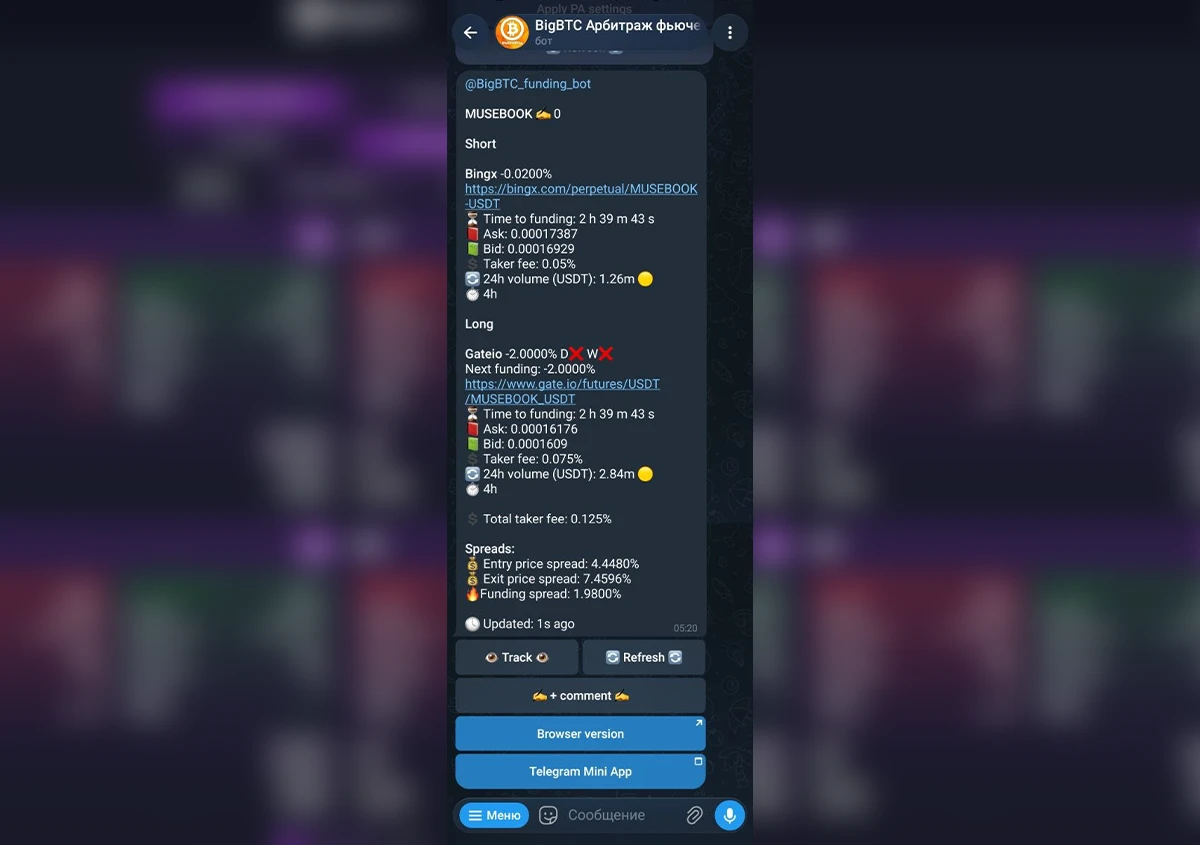
Arbitrage opportunity in the browser version of the scanner and Telegram Mini App
Each arbitrage opportunity displays:
- Exchange order books
- Funding rates
- Time until the funding payment
- Fees
- 24-hour volume in USDT
- Funding payment intervals
- Availability of coin deposits and withdrawals on spot (if it is available on the spot market)
- Entry threshold: the amount you can enter the arbitrage opportunity with right now at market prices while maintaining the price spread
- Entry, exit and funding rate spreads
Data is updated in real time and comes directly from the exchanges
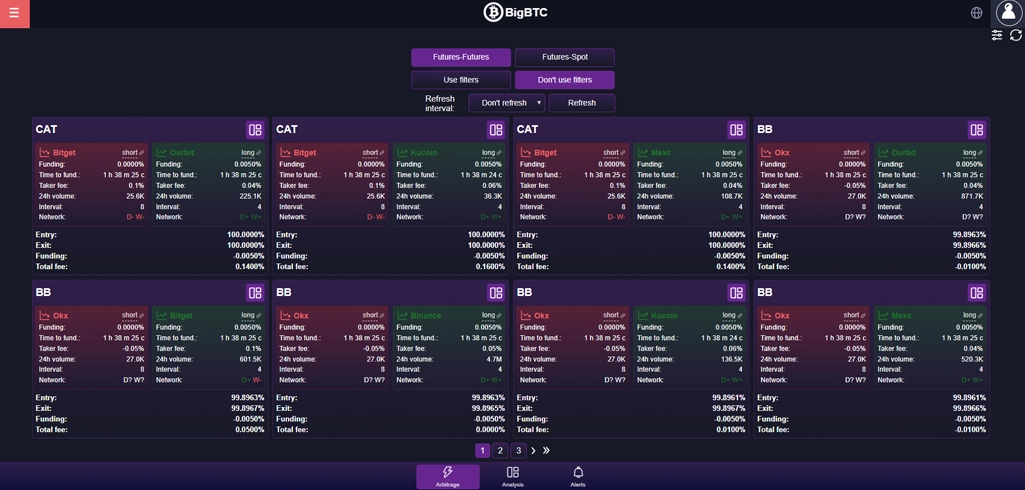
Arbitrage opportunity in the Telegram bot
In arbitrage opportunities in the Telegram bot, you see the same data as in the browser version of the scanner and Telegram Mini App - work wherever it is more convenient for you
Press the refresh button below the arbitrage opportunity - the bot will update it using the latest data and recalculate all spreads
Add the arbitrage opportunity to tracking and set the tracking conditions - the bot will automatically notify you when the data in the arbitrage opportunity changes
Add a comment to the arbitrage opportunity and read comments from other users
Open the arbitrage opportunity in the browser version of the scanner or Telegram Mini App directly from the bot
Convenient search and filtering of arbitrage opportunities, smart notifications
Search for arbitrage opportunities in the web version and Telegram Mini App
In the web version and Telegram Mini App, you can view futures-futures and futures-spot arbitrage opportunities in two ways - as convenient blocks or as a table (list).
Arbitrage opportunities can be sorted by price spread and funding spread
Search for arbitrage opportunities in the Telegram bot
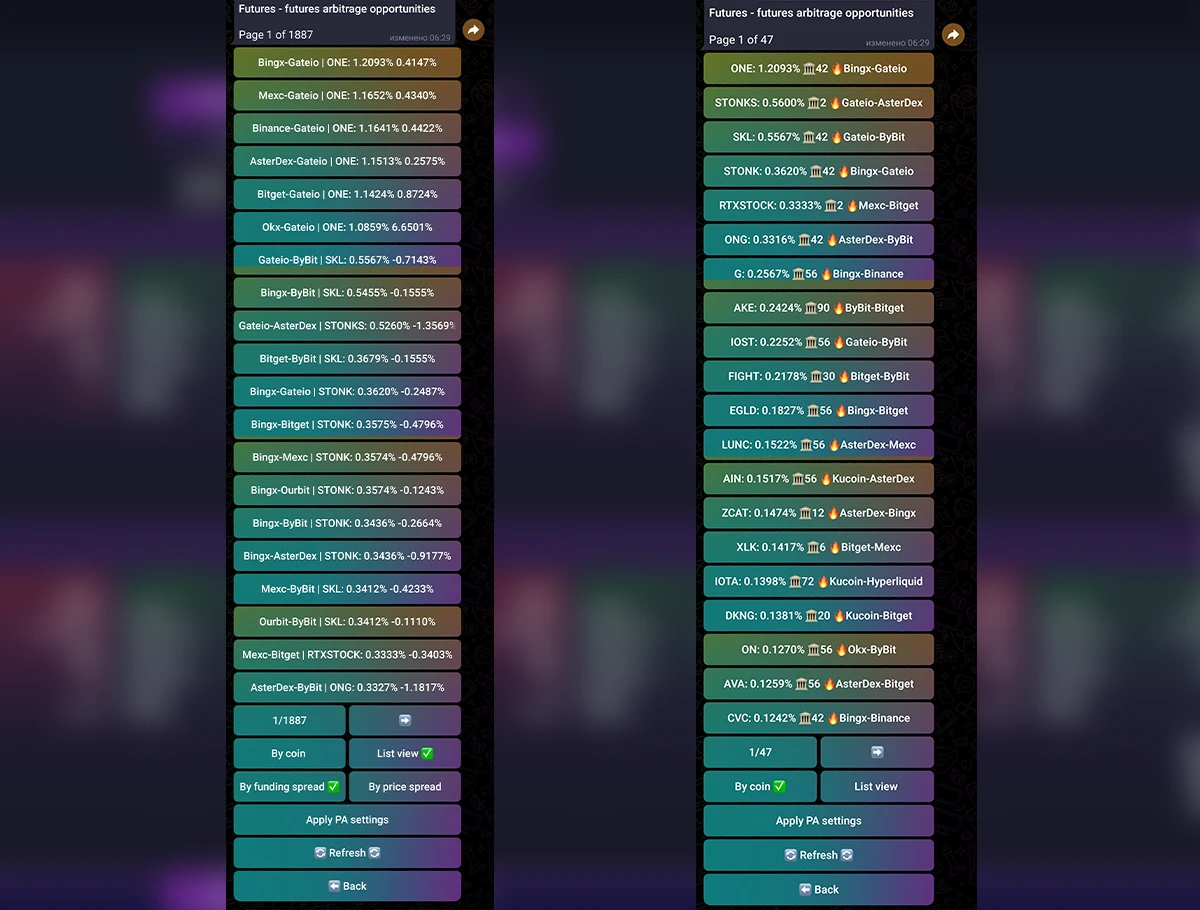
The same futures-futures and futures-spot arbitrage opportunity lists are also available in the regular Telegram bot - work wherever it is more convenient for you.
Arbitrage opportunities can also be sorted by price spread and funding spread, grouped by coin, or displayed as a list of arbitrage opportunities
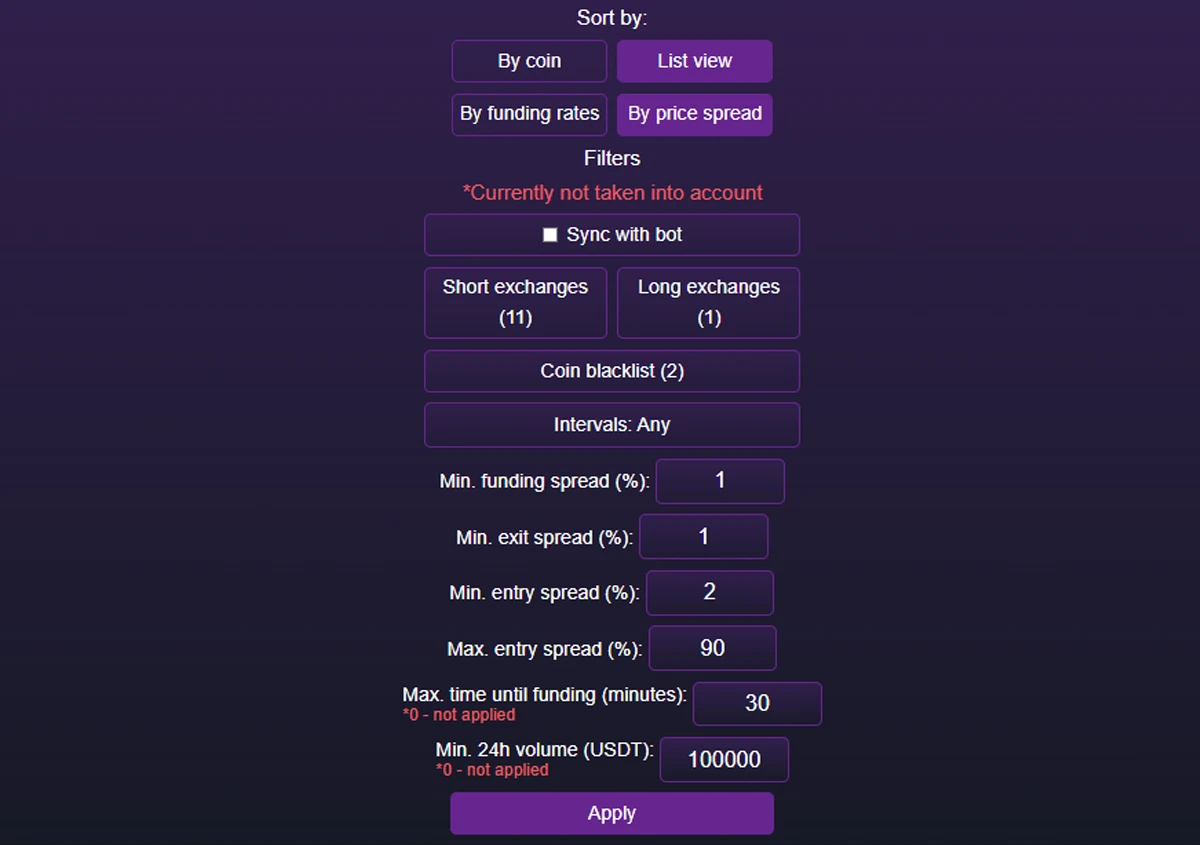
Arbitrage opportunity filtering
Arbitrage opportunities in the Telegram bot, web version and Telegram Mini App can be flexibly filtered by various parameters, such as:
- Minimum 24-hour volume in USDT
- Maximum time until the funding payment
- Minimum funding rate spread
- Minimum and maximum entry spread
- Minimum exit spread
- Exchanges to use
- Funding payment interval
- Coin blacklist
You can configure different filters separately for futures-futures and futures-spot arbitrage opportunities
Arbitrage opportunity tracking
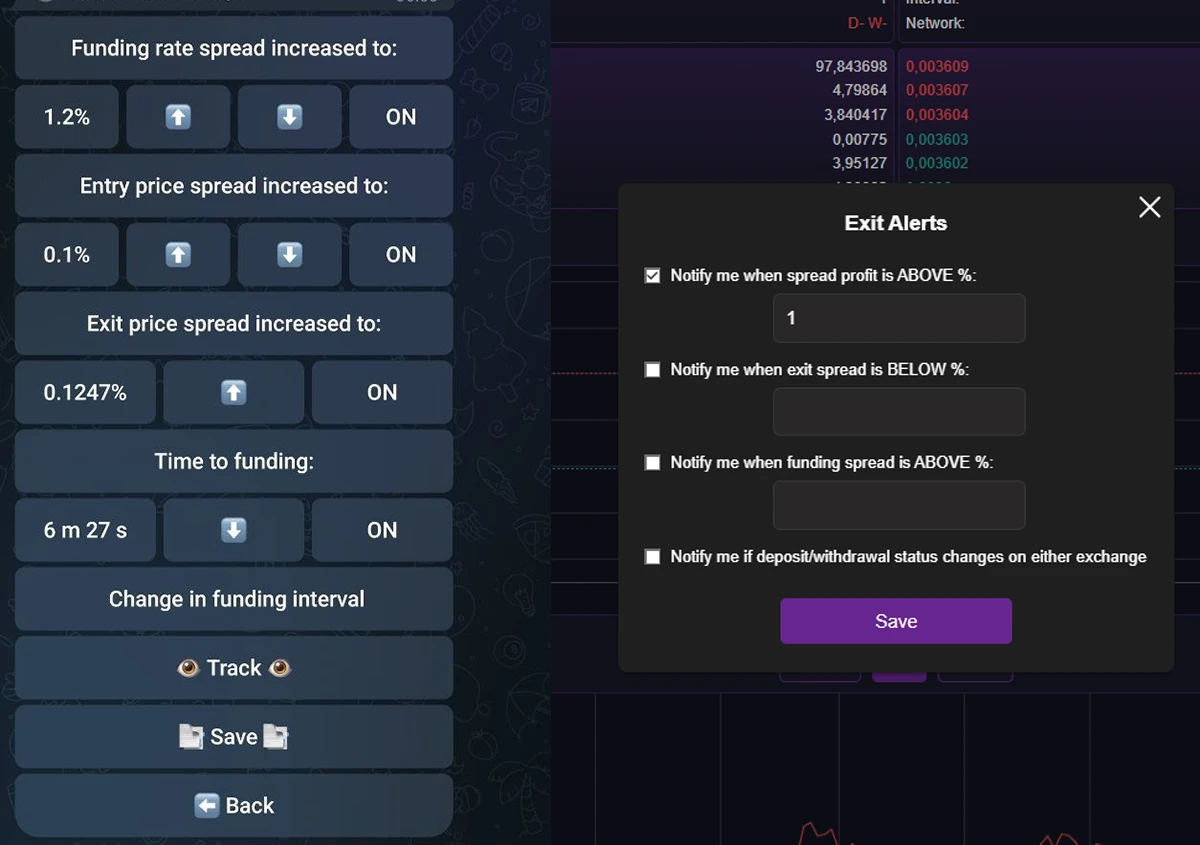
Any arbitrage opportunity you like can be added to your tracking list. The bot will send notifications about:
- changes in the price spread
- changes in the funding rate spread
- changes in the funding payment interval
- the time remaining until the funding payment
There is no limit to the number of arbitrage opportunities you can add to your tracking list
You can also set up an exit notification for an arbitrage opportunity in the web version and Telegram Mini App
Arbitrage opportunity monitoring
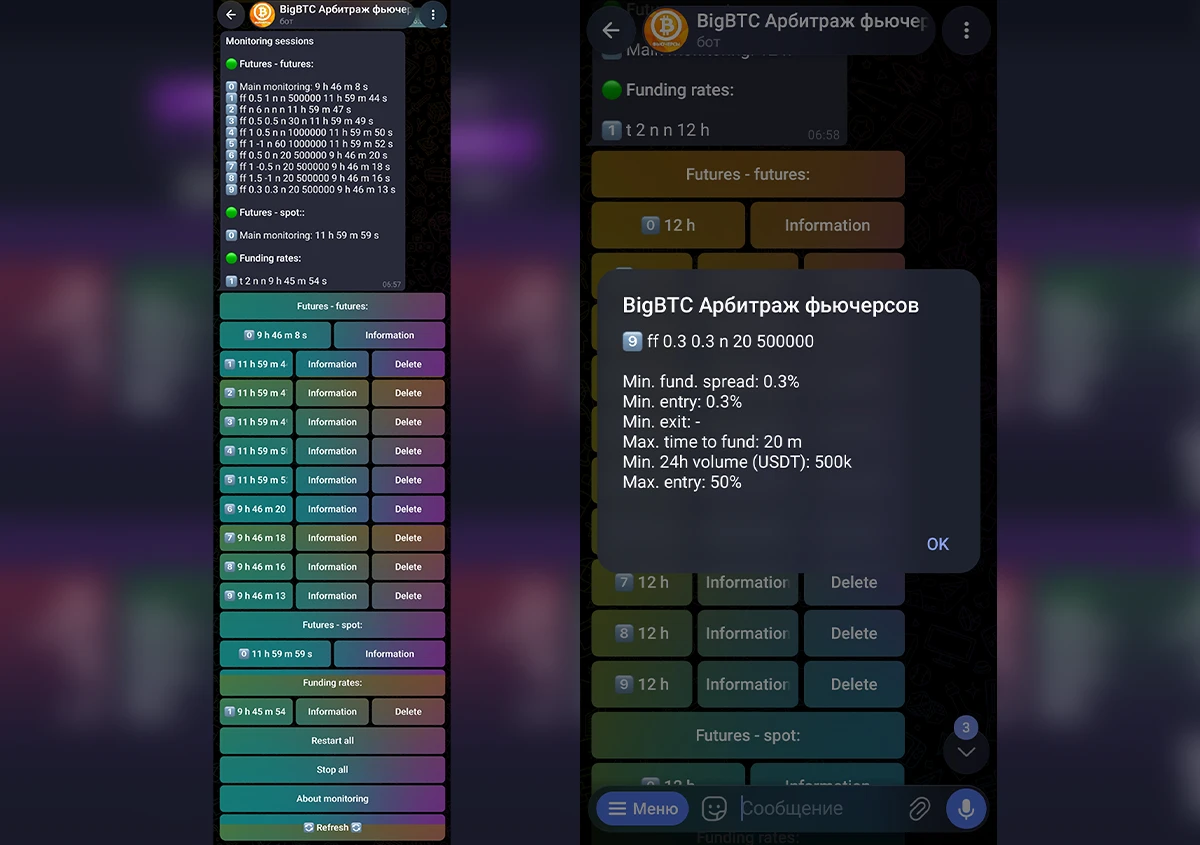
You can configure monitoring to suit your strategy. The bot will continuously monitor the market and send Telegram notifications only for arbitrage opportunities that match your filters and profitability requirements.
Monitoring is available for:
- Futures-futures arbitrage opportunities
- Futures-spot arbitrage opportunities
- Funding rates
You can set up to 10 different monitoring configurations simultaneously, each with its own filters. All monitoring configurations work in parallel and independently of each other
Search and filtering of funding rates
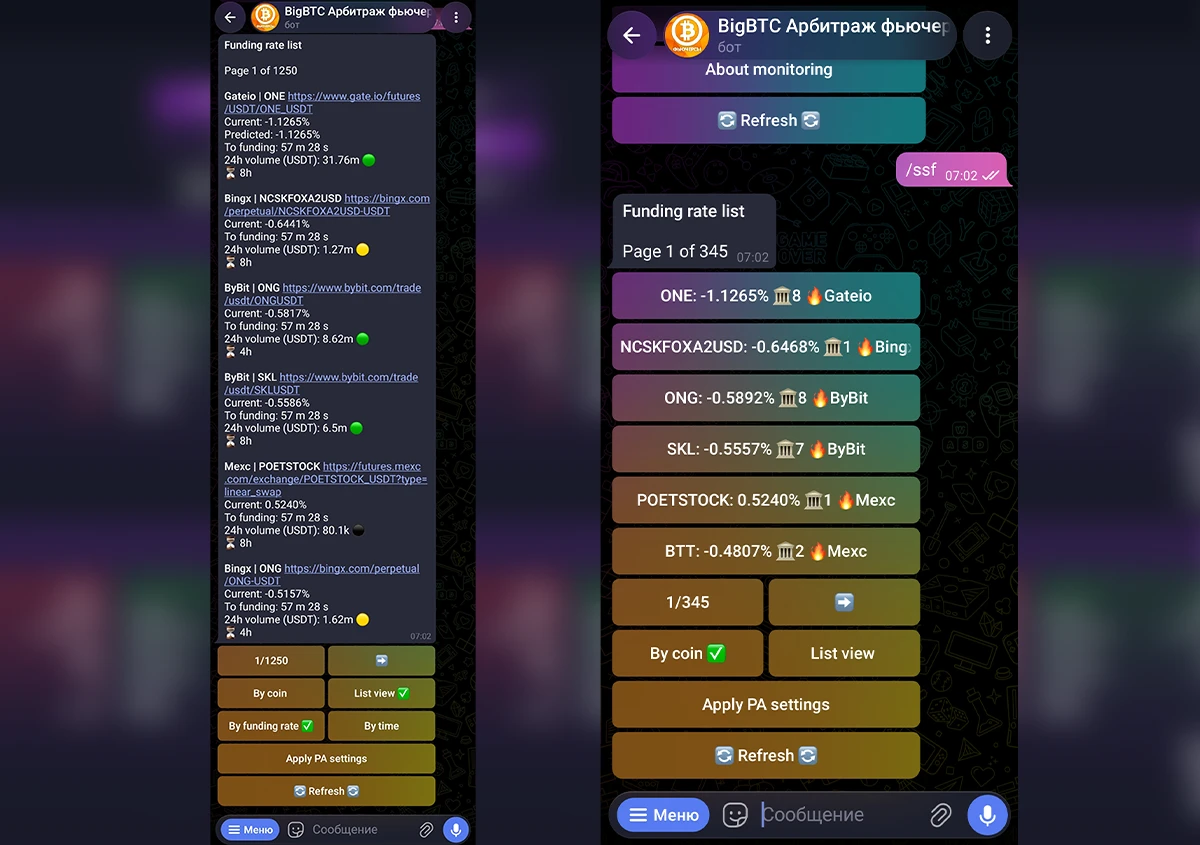
In the Telegram bot, you can also view current funding rates on exchanges for different coins
The list of funding rates can be sorted by time until the funding payment and by funding rate, grouped by coin, or displayed as a list
You can set separate filters for funding rates based on:
- Exchanges to use
- Minimum funding rate
- Maximum time until the funding payment
Useful videos
Scanner walkthroughs, examples of working with arbitrage opportunities, and useful videos on funding arbitrage and price spread arbitrage on futures
What users say
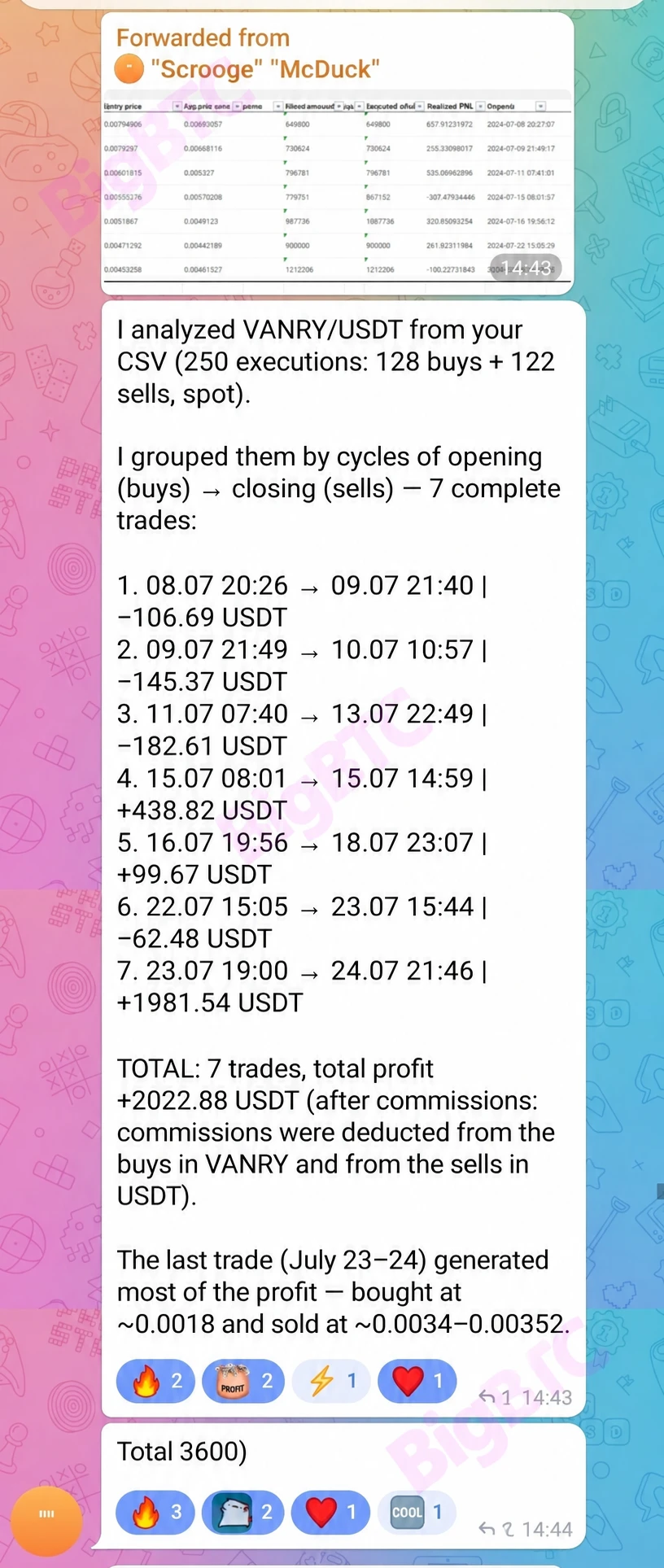
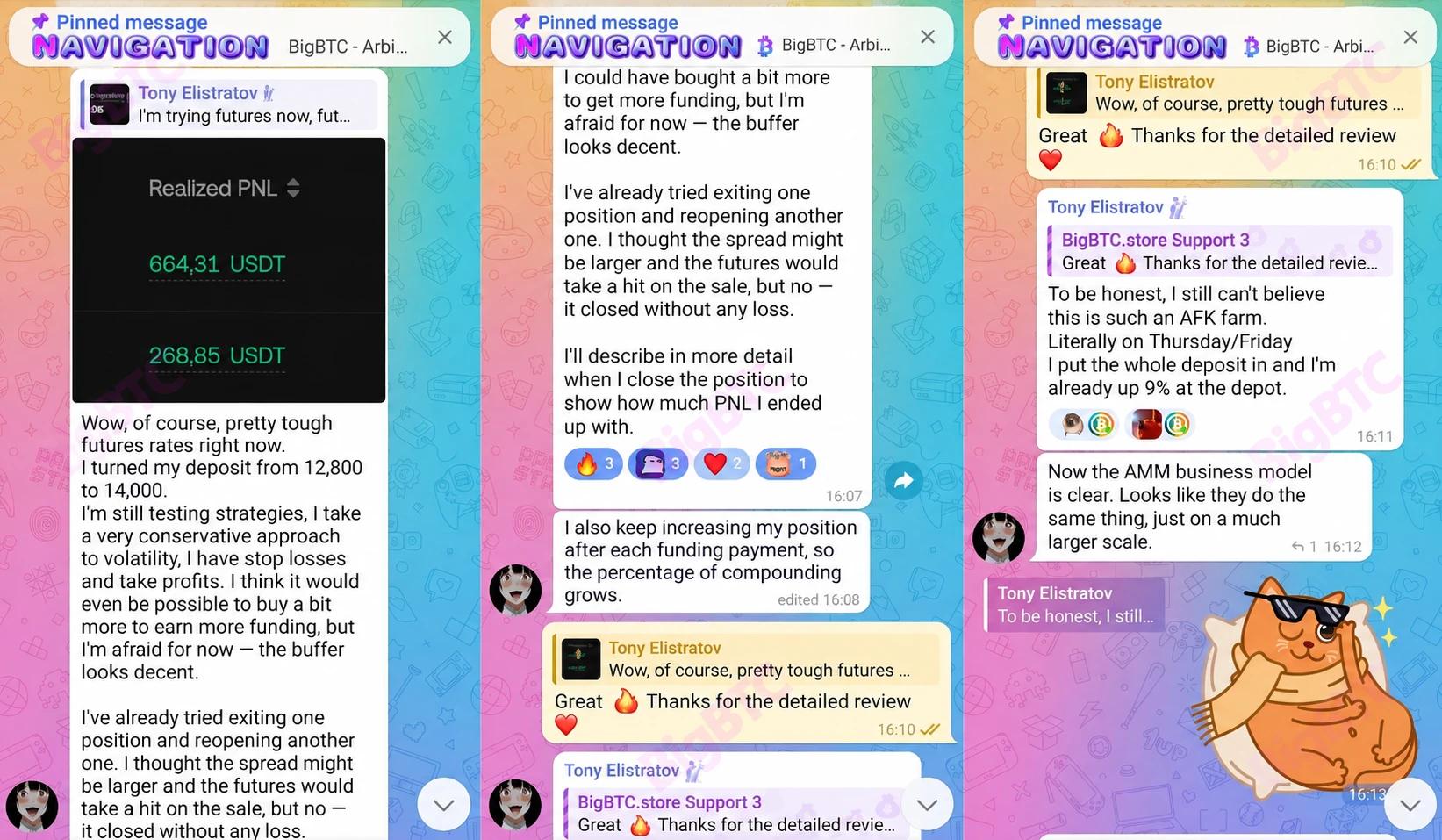
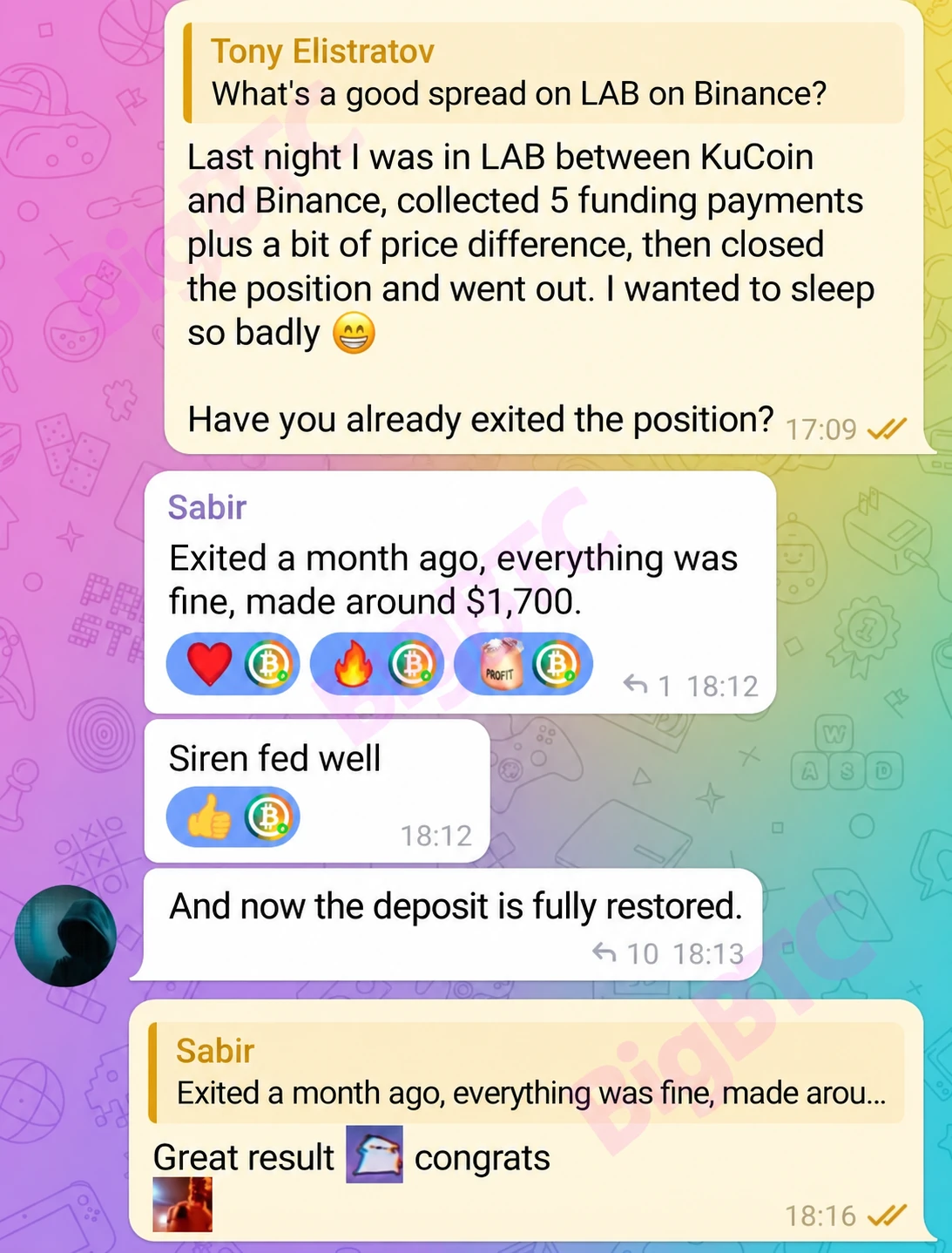
Here are some reviews from our scanner user chat
Answers to frequently asked questions
What is the difference between price spread arbitrage and funding arbitrage?
A price spread is the difference between prices. Price spread arbitrage is based on the difference in the price of the same asset across two markets.
Funding arbitrage is an approach based on comparing funding payments for perpetual futures contracts.
BigBTC provides current data for evaluating such arbitrage opportunities, while the user makes the trading decision independently.
Do I need accounts on multiple exchanges?
Yes, working with arbitrage opportunities requires accounts on the exchanges where the spread occurs. It is most effective to work with all exchanges available in the scanner, but you can select only the exchanges you are interested in in the scanner settings.
Are there any delays in the data?
No. The scanner works in real time without intervals.
Can I track my profit on an open arbitrage opportunity?
Yes. In the browser version and Mini App, you can enter your entry data and see your current profit on the chart.
Can I receive notifications in Telegram?
Yes. You can track selected arbitrage opportunities and funding rates, receive notifications about new arbitrage opportunities, as well as changes in funding spreads and price spreads, funding intervals, and other selected parameters.
Are there exit notifications?
Yes. You can set an exit notification, and the bot will let you know when it is time to close the position.
Does the scanner open trades automatically?
No. BigBTC provides data, filters, analysis and notifications. The user decides whether to open a trade and how to manage it.
What data is available in an arbitrage opportunity?
The scanner shows current prices, price spread and funding spread, funding rates, time until the funding payment, 24-hour volume, and deposit and withdrawal availability. Detailed analysis includes order books and historical data.